Your whole Mac on the TV —
picture, sound, in about a minute.

BeamRight mirrors your entire Mac, with audio in sync, to any Chromecast or Google TV. Nothing to install on the TV, no browser, no account. Start free in Standard mode — flip on Pro later for near-instant ~0.25s, up to 4K.

No card, no account — Standard mode is free forever. · Optional Pro upgrade  ·  Chromecast & Google TV · macOS 14+ · Apple Silicon & Intel

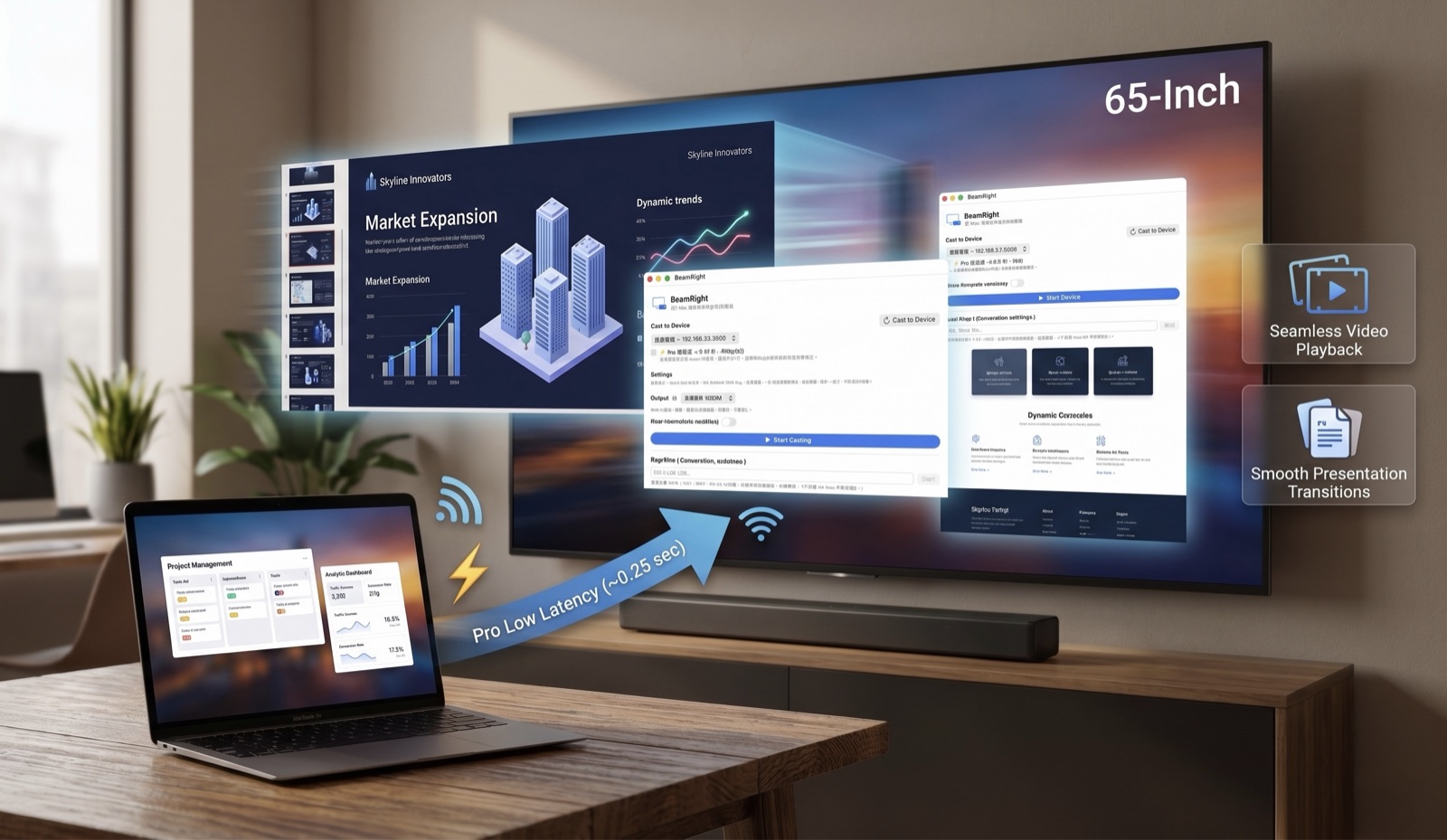
A MacBook mirroring its screen and audio to a big-screen TV — slides, a 4K video and a website all on the TV at once, over BeamRight's Pro low-latency (~0.25s) link
First things first

Will it work with your TV?

BeamRight is built specifically for Chromecast and Google TV — and only those. We'd rather tell you now than have you find out after buying.

WORKS Supported devices

  • Chromecast with Google TV (HD & 4K)
  • Chromecast Ultra
  • Chromecast (1st, 2nd & 3rd generation)
  • Google TV streamers
  • TVs with Google Cast built-in (many Sony, TCL, Hisense, Philips)

NOT YET Not supported on their own

  • Apple TV (your Mac already does this — it's AirPlay)
  • Roku
  • Amazon Fire TV / Fire Stick
  • Samsung & LG smart TVs (unless you add a Chromecast — see below)
Check in 10 seconds: On your TV's home screen or settings, look for the “Google Cast built-in” / “Chromecast built-in” logo — or check whether your phone can already cast to it. If yes, BeamRight will work.
No supported device? No expensive TV needed.
An inexpensive Google TV streamer (the onn 4K runs about $30–40; the Google TV Streamer is $99) plugs into any TV's HDMI port and BeamRight works perfectly — the cheapest way to turn any television (Samsung, LG, even the old one in the garage) into a Mac-ready big screen.

Still not sure? Just try it. Standard mode is free forever — it tells you instantly whether your TV is supported, before you spend a cent.

Why BeamRight

Built to do one job — right.

🔊

Sound that actually works

Most casting apps drop the audio or delay it. BeamRight sends your full system audio in sync — through your soundbar, receiver, or TV.

🖥️

Your whole screen

Not a browser trick that mirrors one tab. BeamRight shows your entire Mac — every app, every menu, your cursor.

🎯

One click. That's the setup.

Open BeamRight, pick your TV, click. No pairing codes, no accounts, nothing to install on the television.

🤫

No nags, no ads

No 20-minute cut-offs. No pop-ups mid-movie. No tracking. No subscription, ever — it just gets out of your way.

🎬

Made for movies & decks

Perfect for movies, slideshows, decks and big-screen photos. (~3–5s Wi-Fi delay — you'll feel it on games and live calls. That's exactly what Pro fixes.)

💛

Indie & honest

One developer, one price, real updates. We tell you up front what works — and what doesn't.

More in the box

And it does more than you'd expect — all free

Everything here works in the free Standard mode. A couple of things just get even better once you switch on Pro.

🎞️

Cast a video file FREE

Got an MP4, M4V or MOV? Play it natively on the TV — up to 4K, zero mirror lag, full quality. BeamRight auto-transcodes anything the TV can't read. (Local files only — not YouTube or streaming URLs.)

🔌

Works when auto-detect doesn't FREE

TV on Ethernet, or your router hiding it? Type the TV's IP and cast anyway. On a different subnet, Pro is the mode that reaches across it. better with Pro

🖼️

Fit it to your screen FREE

Full (letterboxed, nothing cropped), Fill (edge-to-edge crop), or Extended display (experimental) — use the TV as a real second monitor.

🔕

Silence your Mac, not the room FREE

One toggle sends the sound to the TV and mutes your Mac's own speakers — no echo. (Requires macOS 14.4+.)

🌐

Your language, switched live FREE

Switch the whole app between System, English, 繁體中文, 简体中文, 日本語 and 한국어 — no restart.

🔄

Quiet auto-updates FREE

New versions arrive on their own (Sparkle, signed). No store, no account, no nagging — and never any ads or tracking.

Pro low-latency

Loving it, but wish the cursor kept up?

That's exactly what Pro fixes. Standard mode is free forever and needs nothing on your TV. Pro adds a one-time TV-side install that drops the lag from ~3–5s to about ~0.25s — lip-synced, at 1080p60 and up to true 4K.

FREE Standard

  • ~3–5s delay
  • Nothing to install on the TV
  • Any Chromecast / Google TV — same Wi-Fi
  • Best for movies, slides, photos & local video files

PRO Low-latency

  • ~0.25s synced — or ~0.06s picture-first
  • 1080p60, up to true 4K (30/60fps*)
  • Real HDR (HLG) on HDR TVs — auto-engages on HDR content
  • Audio & video perfectly in sync
  • Best for live demos, fast decks, real-time — and reaches across subnets

*4K60 is experimental (~36–60 Mbps, prefers wired or Wi-Fi 6). ~0.25s is audio-bound — the floor is your TV's speaker hardware. Pro casts over your local Wi-Fi, unencrypted — use trusted networks. If Pro ever can't connect, BeamRight falls back to Standard automatically, so you're never stuck.

How Pro works: install the free BeamRight receiver on your Google TV once and pair it with the remote. Then BeamRight on your Mac shows a “⚡ Pro” switch for that TV automatically — flip it on and you’re near-instant. One payment, up to 5 Macs, no subscription, no account.

Set up Pro on your TV →

How it works

Up and running in under a minute

1

Download & open

Drag BeamRight to Applications and open it. Standard mode is free forever — add Pro anytime for near-instant low latency.

2

Pick your TV

BeamRight finds every Chromecast and Google TV on your Wi-Fi automatically. Click yours.

3

Click “Mirror”

Your Mac appears on the TV, sound and all. Click stop whenever you're done. No codes, no browser.

Pricing

Free to start. Pro when you feel the lag.

Standard mode is free forever — no account, no card. Pro is a single one-time purchase that unlocks the near-instant, low-latency mode and works on up to 5 of your Macs.

Early-bird · one-time · no subscription
US$34.99 US$24.99
Early-bird — save $10
⏳ Early-bird ends in — : — : —

Limited-time early-bird pricing. The free Standard download is never on a clock.

BeamRight Pro — unlock low latency
  • Standard mode is free forever — ~3–5s, any Chromecast / Google TV, nothing to install on the TV
  • Pro adds ~0.25s low latency, 1080p60, up to 4K, audio & video perfectly in sync
  • One purchase works on up to 5 of your Macs — switch to a new Mac anytime
  • No subscription, no ads, no tracking · free updates · no account
  • Pay once — it's yours forever
Get Pro — US$24.99 (early-bird) ⬇ Or download free (Standard mode)

🔒 Auto-updates · No ads · No tracking · No account.

Standard mode needs no purchase — just download and cast. Buy Pro only if you want the near-instant, low-latency TV receiver. After buying, paste your key in the app (main screen or Settings → Pro).

Do the math: Pro is less than a fifth of a $129+ Apple TV 4K — and far less than a $300+ AirPlay smart TV. Keep the TV you have, add an onn 4K dongle (~$30–40), and you're done. Already have an Apple TV? Your Mac already AirPlays to it — you don't need us.
FAQ

Good questions

Will it work on my Samsung / LG TV?

Not on its own — Samsung and LG don't use Google Cast. But plug in an inexpensive Google TV streamer (the onn 4K, ~$30–40) and BeamRight works perfectly. Quickest test: if your phone can already cast to your TV, so can BeamRight.

Do I need to install anything on my TV?

No. Nothing — for Standard mode. As long as it's a Chromecast or Google TV device, you only install BeamRight on your Mac. (Pro adds one optional free receiver app on the TV.)

Does the sound come through too?

Yes — that's the whole point. BeamRight sends your full Mac audio in sync, including through soundbars and receivers, not just the TV's built-in speakers.

Is there any lag?

Standard mode has a natural 3–5 second delay over Wi-Fi (about 3 seconds on a modern Google TV). Great for movies, video, slideshows and presentations. For near-instant — live demos, the cursor, real-time — Pro takes it from ~3–5s down to about ~0.25s.

Can I play a video file straight on the TV?

Yes. Cast Video File plays a local MP4/M4V/MOV natively on the TV with zero mirror lag, up to 4K, and auto-transcodes anything the TV can't read. (Local files only — not YouTube or streaming URLs.)

Does it handle HDR / HLG video?

Yes. With Pro on an HDR-capable Google TV, BeamRight sends true HDR (HLG) and the TV switches to HDR mode — automatically, and only while you're actually playing HDR content, so nothing looks washed-out or dim. On TVs without HDR, the colour is corrected to good SDR instead. (Needs macOS 15+ on Apple Silicon.)

My TV is on Ethernet / a different subnet / won't show up — can I still cast?

Yes. When the TV is wired or your router hides it, just type the TV's IP address by hand and cast. If the TV is on a different subnet from your Mac, Pro is the mode that connects across it.

Why not just buy an Apple TV?

You can — but it's $129+, and if you already own one your Mac just AirPlays to it (that's why Apple TV is in our “not supported on its own” list). BeamRight is for the Chromecast / Google TV world: an onn 4K dongle (~$30–40) on any TV plus a one-time $24.99 gets you the same whole-Mac-with-sound experience, near-instant.

Is the free version a trial?

No. Standard mode is free forever — no time limit, no beta, no account, no card. Pro is an optional one-time payment ($24.99 early-bird, regularly $34.99) — yours forever, with free updates and no subscription. No ads or tracking either way.

How many Macs can I use Pro on?

One Pro purchase activates on up to 5 of your Macs. Got a new Mac? Pro moves over automatically when you hit the limit — no support ticket, no hassle. No account or login: your license key is all you need.